Create portable .anthora library packages for different collections and switch from the sidebar.
AnthoraBrowse your photos.
Make a book.
Browse and search your whole photo library for free. Turn an album into a book, or give your folders a thoughtful cleanup. Your originals stay in their own folders.
Unlimited library, free. Books and cleanup, $29 once.
Apple silicon · macOS 14 or later
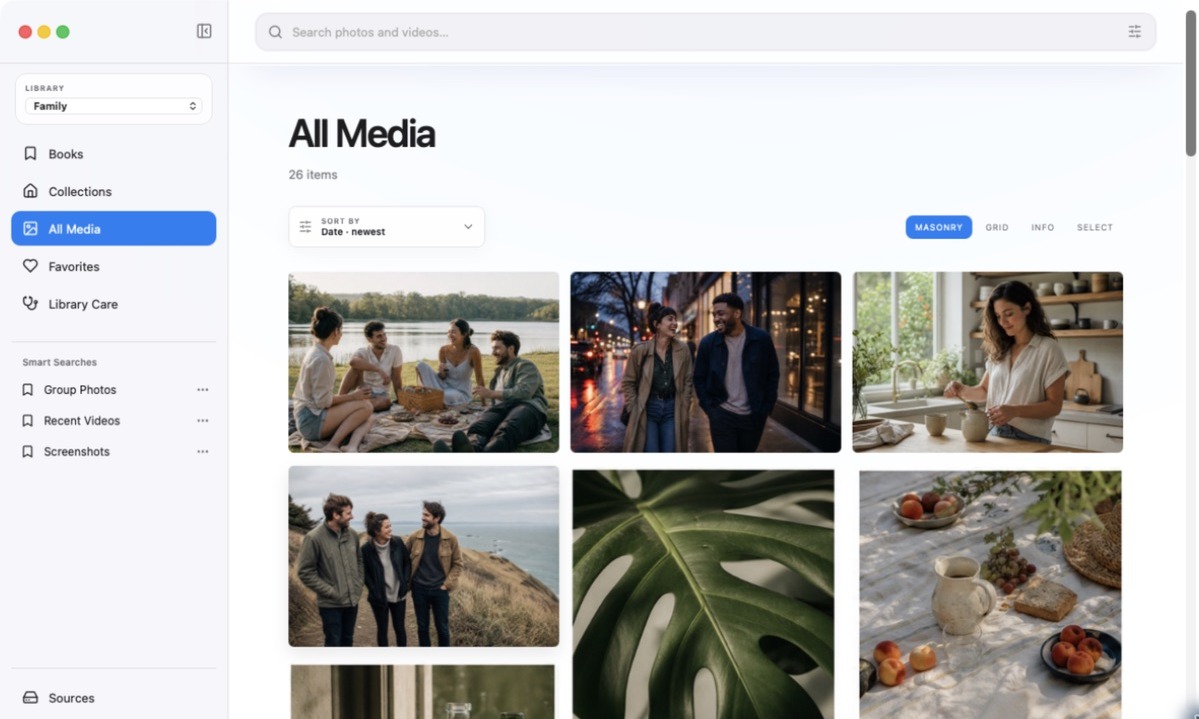
Find a photo. Take a closer look.
Choose folders on your Mac, external drive, or mounted network share. Anthora turns them into a searchable workspace with cleanup tools, without moving your source files.
Search uses the local index and included on-device analysis.
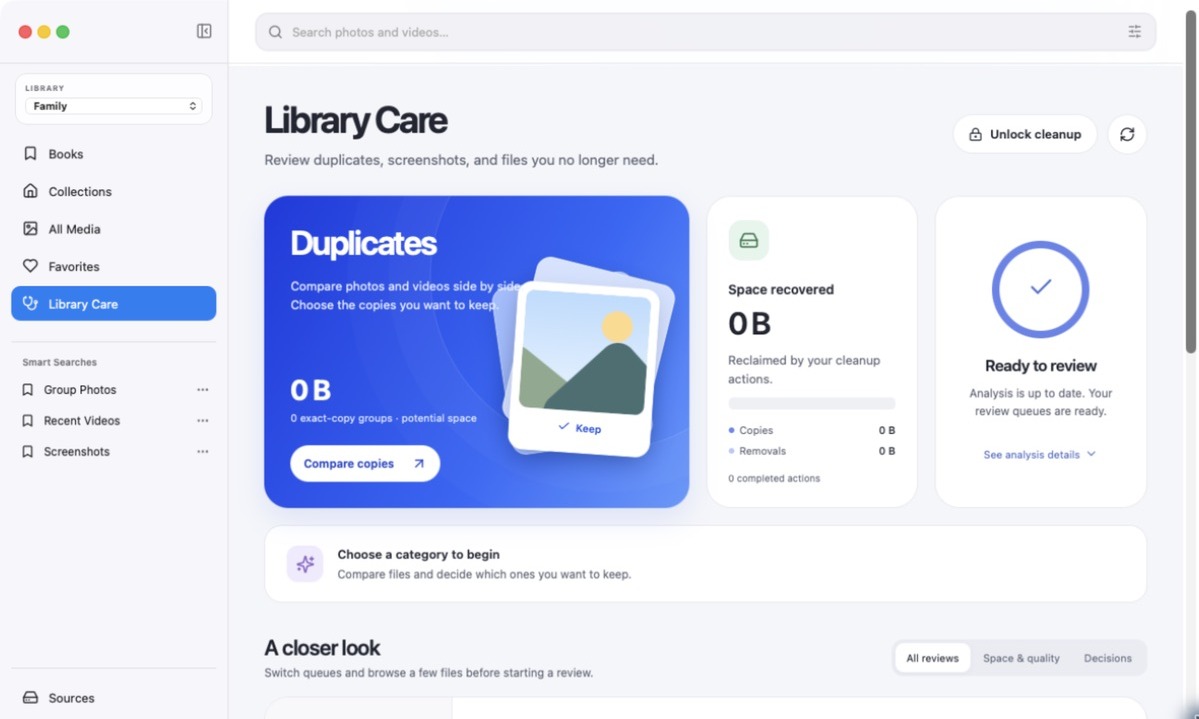
Review exact copies, resized images, and videos with sampled shared footage.
Check screenshots, low-quality captures, accidental videos, and other queues. Removed items remain recoverable in Anthora for 30 days.
Start with a book.
Make it yours.
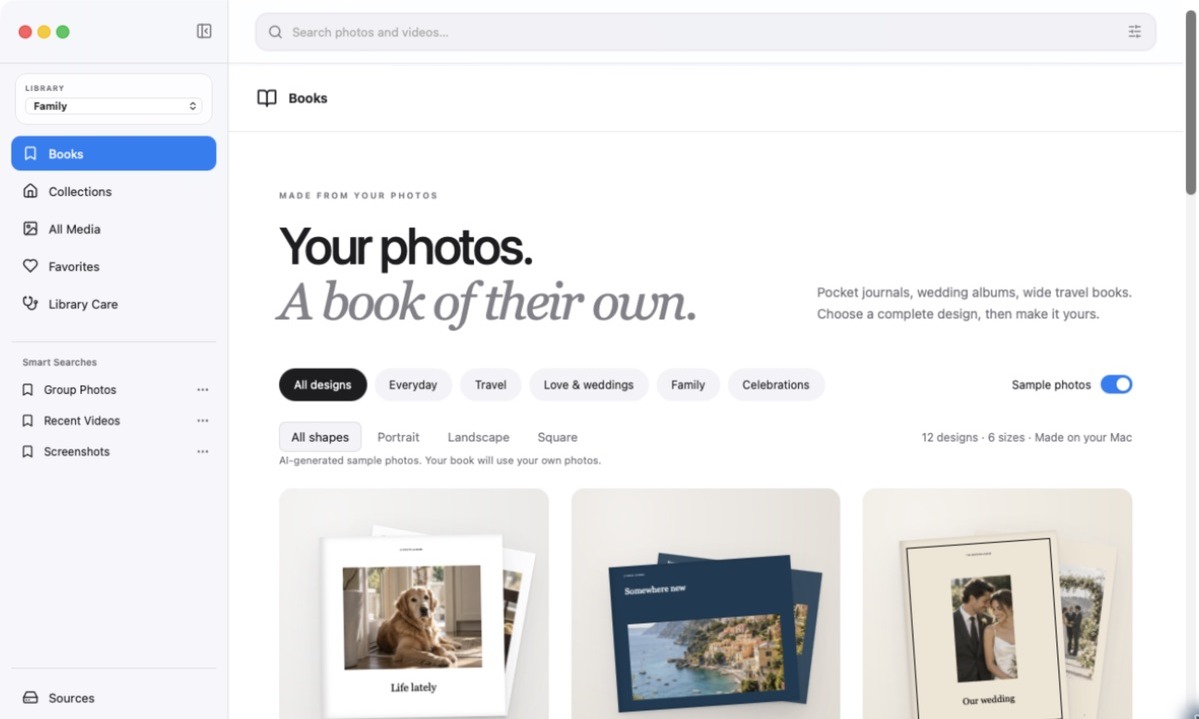
A wedding, a weekend away, a first year, or everyday photos worth keeping. Choose a complete design and let Anthora arrange your photos, then change any page you like.
Choose your photos
Start from an album, a search, or a selection. Auto-fill arranges up to 200 photos, or place them page by page.
Make it personal
Choose from six sizes and fourteen layouts. Change the paper color, crop photos, add words, and reorder pages.
Save a PDF
Keep a digital copy or take it to a printer. Export at 150 or 300 dpi, with optional bleed. Printing is purchased separately.
Books supports up to 200 pages. PDFs are RGB and include a front cover; check your printer’s size, binding, back-cover, and spine requirements before ordering. Printer-specific covers and physical proofing are not included.
Start with your own photos.
Browse, search, and organize your whole library for free. Pay once when you want to make books or use cleanup actions. Existing lifetime owners get these features with this update.
$0 no time limit
- Unlimited photo and video indexing
- Gallery, full-size viewer, and video playback
- Search filenames, visible text, people, dates, favorites, types, and detected subjects
- People, collections, Smart Searches, and duplicate analysis
- Preview every book design and its sample pages
- No account required; your library stays on your Mac
$29 one payment
- Everything in Anthora Free
- Create and save photo books, then export PDFs
- 12 designs, 6 sizes, 14 layouts, and custom colors
- Use cleanup decisions, bulk actions, and duplicate consolidation
- Activate on up to two Macs
- Normal use remains offline after activation
A look around Anthora.
From folder to library.
Read the external-drive setup guide
Drop in your folders
Drag one or more ordinary folders from Finder into Sources, or choose Add Folder. Anthora does not open the Photos.app library directly.
Browse while it scans
New media appears as it is found. You can stop a scan and keep browsing what has already been indexed.
Review before cleanup
Matches and quality signals are suggestions. You decide what stays and what enters Recently Deleted.
Before downloading
- SystemRequires an Apple silicon Mac, M1 or newer, running macOS 14 Sonoma or later.
- Free editionNo licensing limit on library size. Books and cleanup actions require the $29 lifetime license. Disk space and indexing time still apply.
- Media sourcesWorks with readable folders, external drives, and mounted network shares. Cloud-only placeholders must be downloaded first.
- FormatsImages: JPG, JPEG, PNG, HEIC, HEIF, WebP, GIF, TIFF, and TIF. Videos: MOV, MP4, and M4V.
- Photos.appAnthora does not read a Photos.app library directly.
- First launchThis direct download is not notarized by Apple. The install guide explains the one-time macOS Open confirmation. Gatekeeper does not need to be disabled.
- ActivationLifetime activation contacts Lemon Squeezy with the key and an anonymous device-specific name. No media or library information is sent.
- Analysis limitsAutomatic matches and quality signals require review. Semantic language search, best-shot grouping, and crop-aware matching are not included in version 1.1.1.
- PurchaseThe purchase includes the current app and self-service documentation. Setup, customization, consultations, phone service, response times, and guaranteed future updates are not included.
- RefundsDownloaded software is normally final except where required by law or the seller of record's checkout policy.
Try Anthora on your own library.
Browse and organize an unlimited library for free. Add photo books and cleanup for $29 once.